From a mare in foal to a number you can trust
Five steps, one horse's path through the app, whether you run 50 head or 300. Every screen below is the real product, shown with sample data.
- 1
Register the horse
Name, AQHA number, sex, role, and what it cost to get here — purchase price or breeding investment. That basis cost opens its ledger. Upload the registration certificate and the app reads it into the record for you.
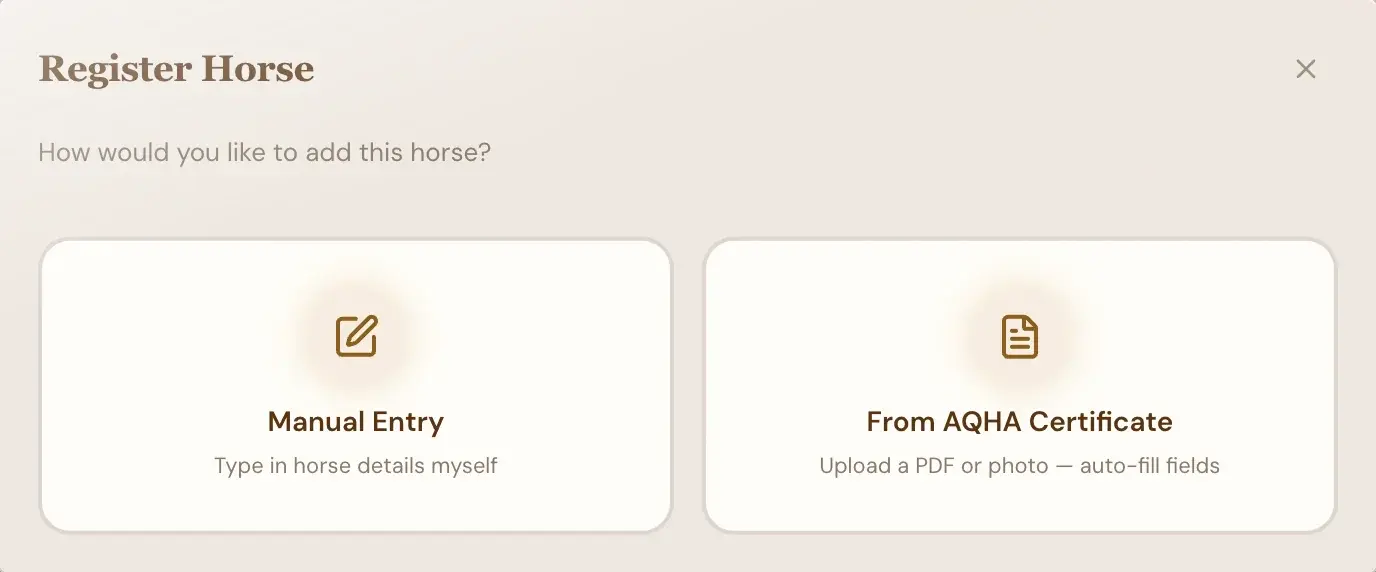
Two ways in: type the horse in, or let the app read its AQHA certificate - 2
Log life as it happens
Expenses with date, category, vendor and amount in USD or MXN, applied to one horse, several, a location or a role. Breeding cycles from cover to foaling. Vaccines and hay by quality grade. Each entry takes seconds on a phone, in the truck or at the barn.
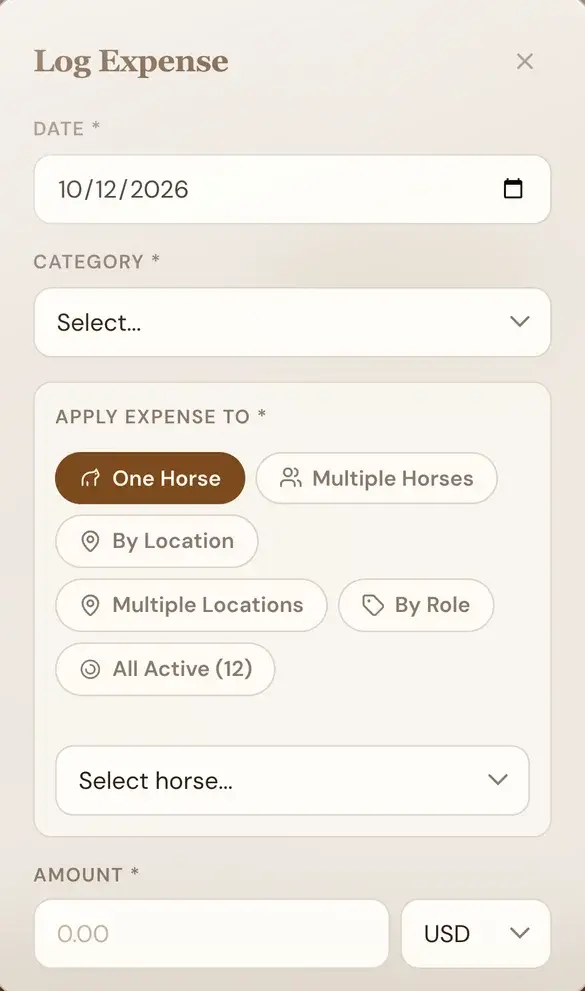
An expense logged from a phone, applied to one horse, several, a location or a role - 3
Costs find their horse
Direct costs post straight to the horse. Shared costs, like the hay fed at a location, are split across the horses that shared them. When a mare foals, her breeding costs move to the foal. The consolidated statement adds it up for the whole herd: basis, direct, shared and breeding costs, down to total invested.
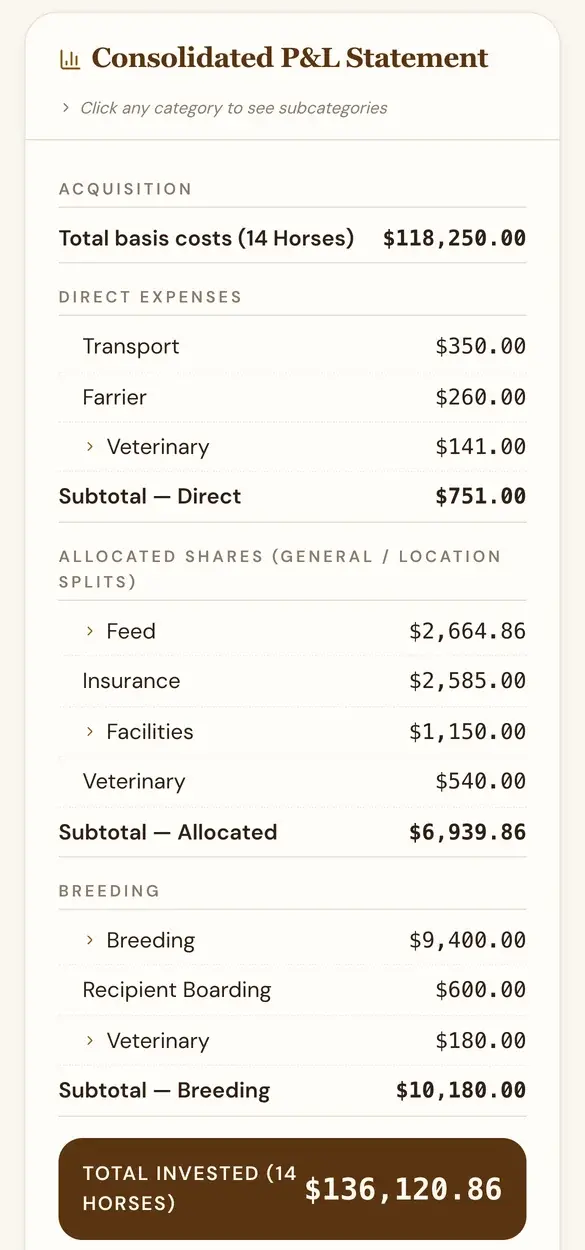
The herd's consolidated statement: direct, shared and breeding costs roll up into invested cost - 4
Read the financial story
Open any horse: invested cost to date, the ledger behind it, and a printable Account Statement that includes its vaccination history. Thinking of selling? Test a sale price against real cost before you set the reserve.
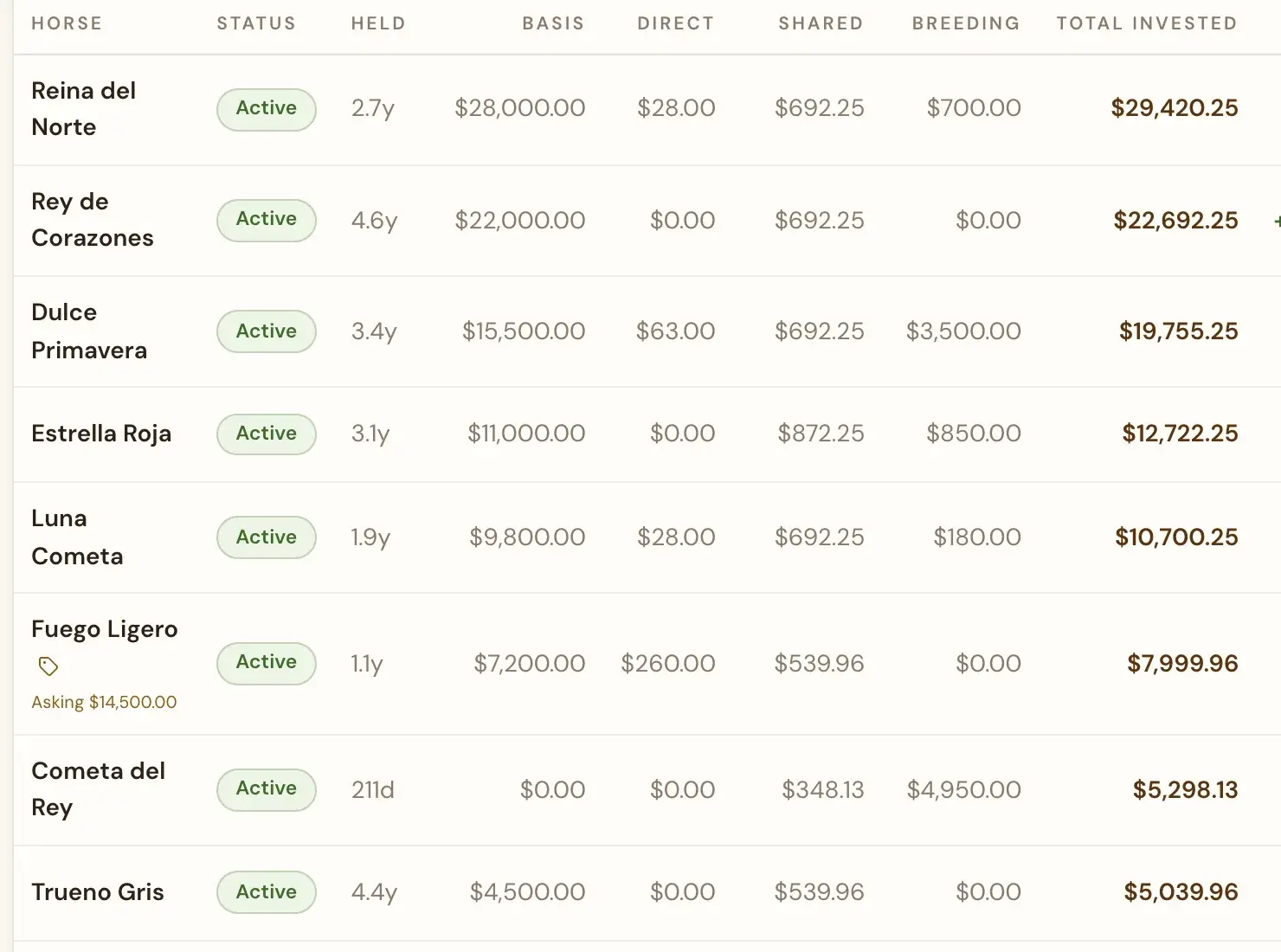
Per-horse P&L: each horse's invested cost, and projected profit at the asking price - 5
Decide with the whole picture
The dashboard shows expected foalings by month, what your numbers are saying, and where the money went. Reports roll every horse into herd P&L, by location and by vendor, and everything exports to Excel.
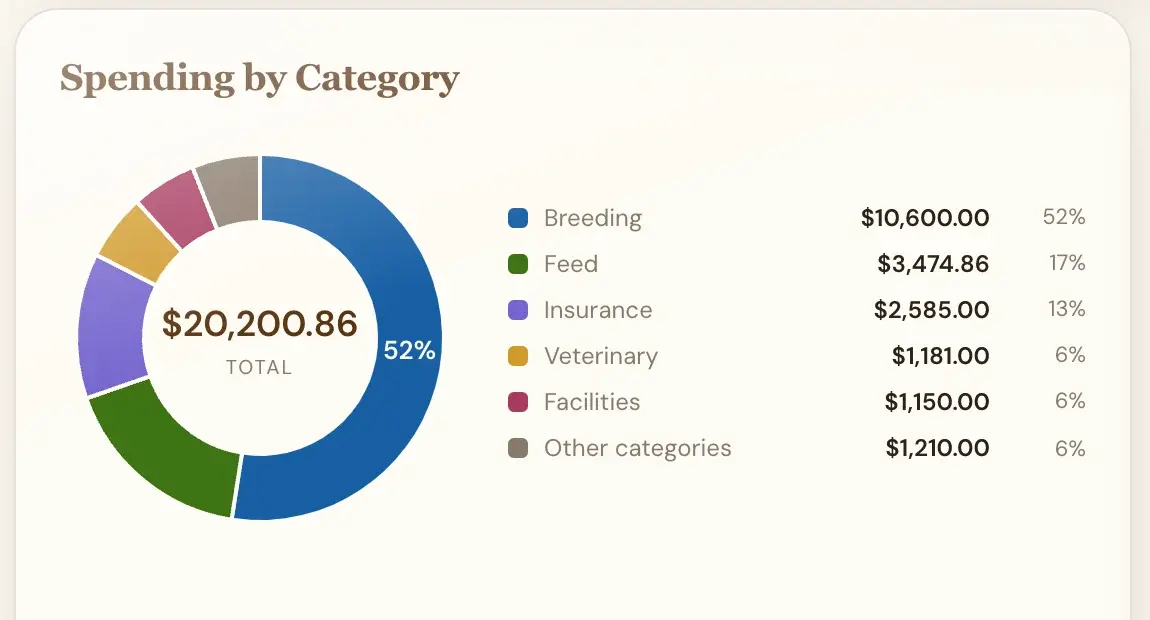
Where the money went, by category

